Tap the keys or type
Mechanical Keyboard Simulator
Press a little mechanical keyboard, right in your browser. Tap the keycaps or type on your own keyboard, and pick clicky or thocky switches.
How to play the keyboard
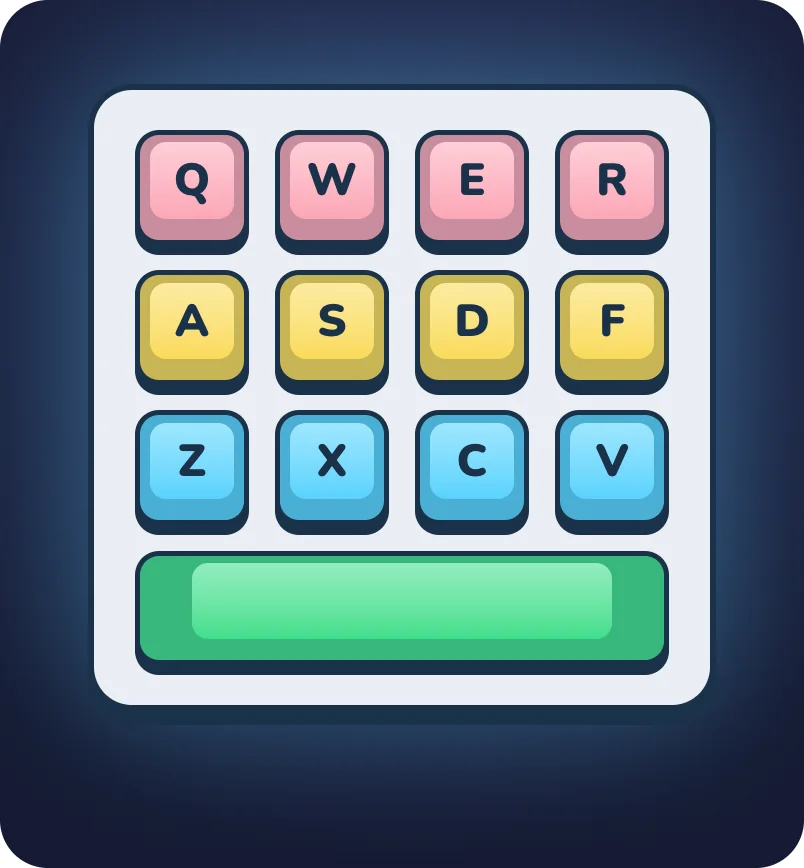
Tap a keycap to press it, or press a few at once with more fingers. On a computer, just start typing: Q, W, E, R, A, S, D, F, Z, X, C, and V press their own keys, the space bar presses the space bar, and every other key lands on one of the twelve.
Tap Clicky at the top to switch to Thocky keys, and tap again to switch back.
Clicky vs. thocky switches
Under every key on a mechanical keyboard sits its own little switch. Clicky switches have a tiny part that snaps as you press, so you get a sharp, bright click. Thocky keyboards are built for a deep, muffled sound that people call a “thock.”
Plenty of people collect keyboards and swap switches just to find a sound they love. This one lets you try both, free.
More fidgets to play.
All free, right in your browser.
Bubble Wrap
A sheet of bubbles that never runs out.
Pop It
Pop the rainbow, then flip it over.
Fidget Spinner
Flick it and chase your top speed.
Light Switch
Click it on, click it off. Repeat.
Ball Pit
Pour in colorful balls and watch them tumble.
Click Counter
A chunky clicker that counts every press.
Newton’s Cradle
Pull a ball back and let it clack.
Stress Ball
A squishy ball that bounces back.
All online fidgets
Play every fidget on one page.
 FAQ

Is this keyboard simulator free?
Yes. It’s free in your browser, with no download or sign-up.
Can I type on my real keyboard?
Yes. On a computer, every key you press plays one of the keys on screen. Q, W, E, R, A, S, D, F, Z, X, C, V, and Space play their matching keys.
What’s the difference between clicky and thocky?
Clicky keys make a sharp, bright click. Thocky keys make a deeper, softer sound. Tap the switch button at the top of the keyboard to swap between them.
Is there a keyboard fidget app?
Tappy for iPhone has a Mechanical Keys fidget with real haptics, plus 55+ other fidgets and 17 arcade games. It’s free on the App Store.
Feel every key in Tappy.
Get 55+ fidgets with real haptics, plus breathing, a mood journal, and a self-care pet who grows with you. Free on iPhone and Apple Watch.
 4.8 · 20K+ ratings